Split expenses and track who owes what
Expenddy is a free app for shared costs. Record an expense once — who paid, how much, and who shares it — and Expenddy works out each person's share, keeps a running balance of who owes whom, and records the payment when someone settles up.
- Split equally, by exact amounts, or by percentage
- Works for roommates, trips, groups, couples and friends
- Also tracks informal IOUs and your own personal spending
- Or try the free trip expense calculator and group expense calculator — no sign-up needed
Free to use. Available for Android and in any web browser. An iOS app is in development and is not released yet — see download options.
What Expenddy does
Expenddy handles three different kinds of money between people. They are separate features because they work differently — a group ledger, a one-to-one running balance, and your own private spending record.
Group expenses
Three or more people, or any cost you want a shared record of.
A group holds members, expenses, splits and settlements. Every member sees the same ledger and the same balances.
1:1 friend ledger (IOU tracker)
Two people, informal lending, no group needed.
A running list of 'You gave' and 'You got' entries against one person, with a live balance of who is ahead.
Personal expense tracking
One person, private by default.
Your own spending and income, categorised, with monthly totals and a category breakdown.
Three ways to split an expense
Every expense in Expenddy is divided one of three ways. Exact and percentage splits have to add up to the total before Expenddy will save the expense, so a mistyped share cannot quietly leave the balances wrong.
| Method | What you enter | Example | Best for |
|---|---|---|---|
| Equal | The total is divided evenly between everyone included in the split. | A £120 dinner shared by 4 people gives each person a £30 share. | Everyone consumed roughly the same thing — a shared taxi, a group dinner, a joint gift. |
| Exact | You type each person's share as a currency amount. | A £120 grocery run where £70 was one person's own items and £50 was shared: enter £70 and £50 directly. | People consumed clearly different amounts and you know the real numbers. |
| Percent | You give each person a percentage of the total. | Rent of £1,000 split 60/40 between two people gives shares of £600 and £400. | The ratio is stable but the amount changes each time — rent by room size, a bill split by income. |
How Expenddy works
Create a group
Start a group for the trip, the flat, the couple or the one-off event, and give it a name. Group types are General, Trip, Home, Couple and Other.
Add the people sharing the cost
Invite members by email, phone number or an invite link. People who are not on Expenddy yet can be invited, and the invitation attaches to their account when they sign up.
Record an expense
Enter the amount and what it was for, choose who paid, pick who shares it, and choose the split method — equal, exact amounts or percentage. Attach a photo of the bill if you want a record of it.
Check the balances
Expenddy recalculates immediately and shows what you owe and what you are owed, per person. There is no mental arithmetic and no spreadsheet to update.
Settle up and record it
Pay whoever you owe in cash or by whatever transfer you normally use, then record the settlement in Expenddy. The balance clears, and the payment stays in the settlement history. If you record it wrongly, you can void or edit it.
Inside the app
Each screenshot below is described in text as well, so the app's functionality does not depend on being able to see the pictures.
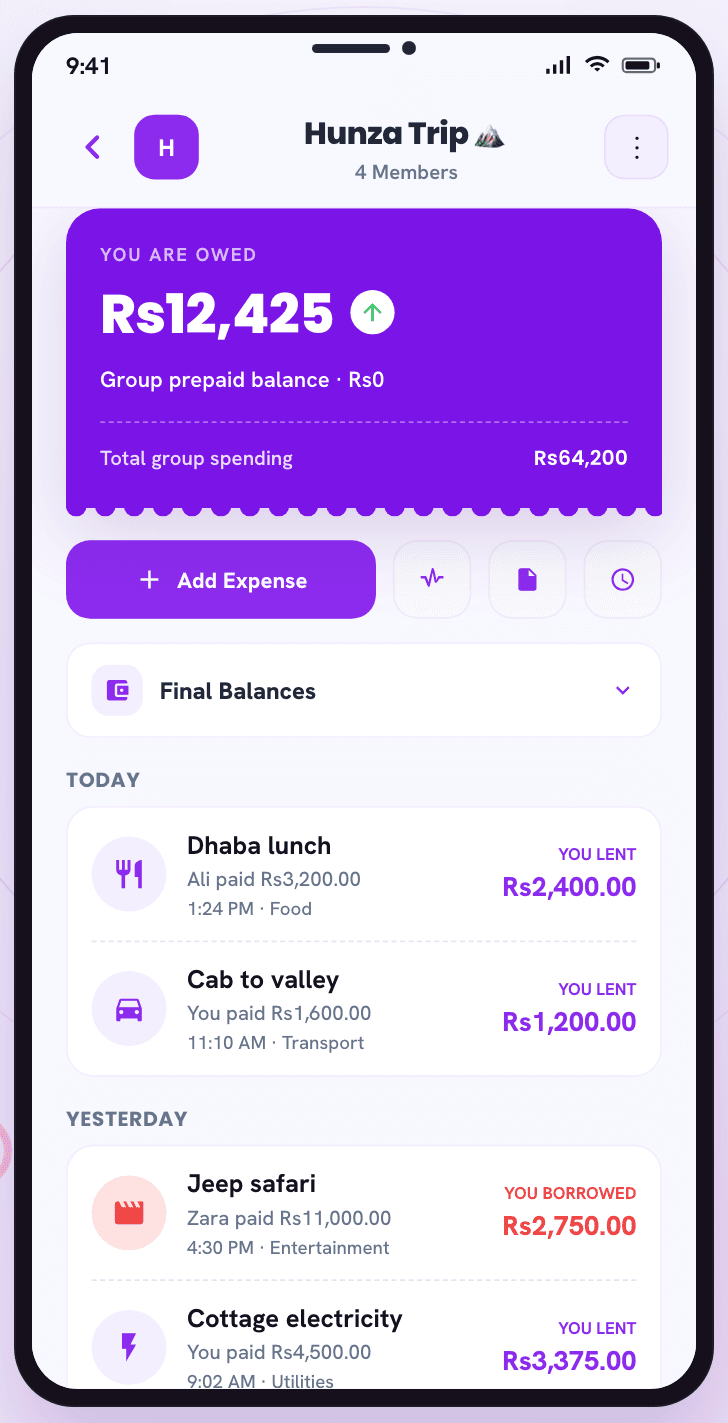
A group ledgerInside a group, every expense shows the amount, the category and who paid it. 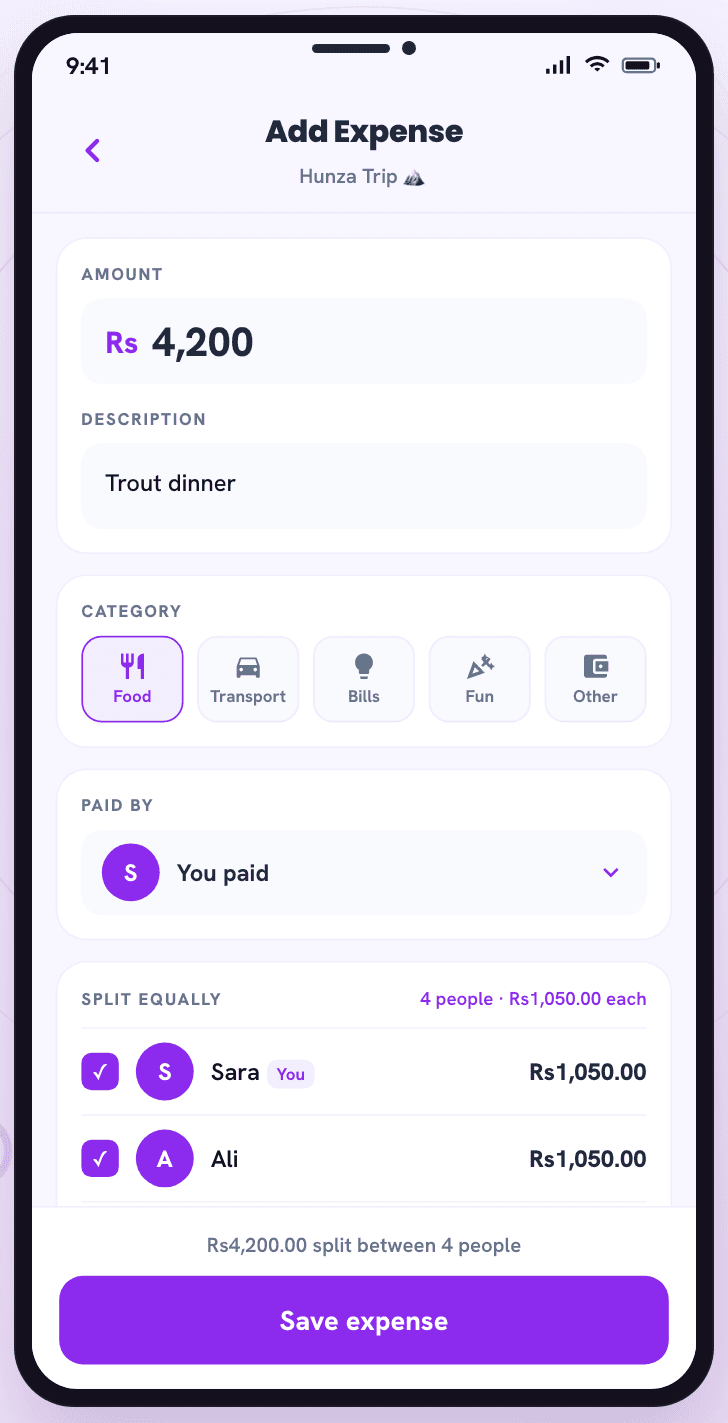
Adding an expenseAdding an expense: the amount, what it was for, who paid, who shares it, and the split method. 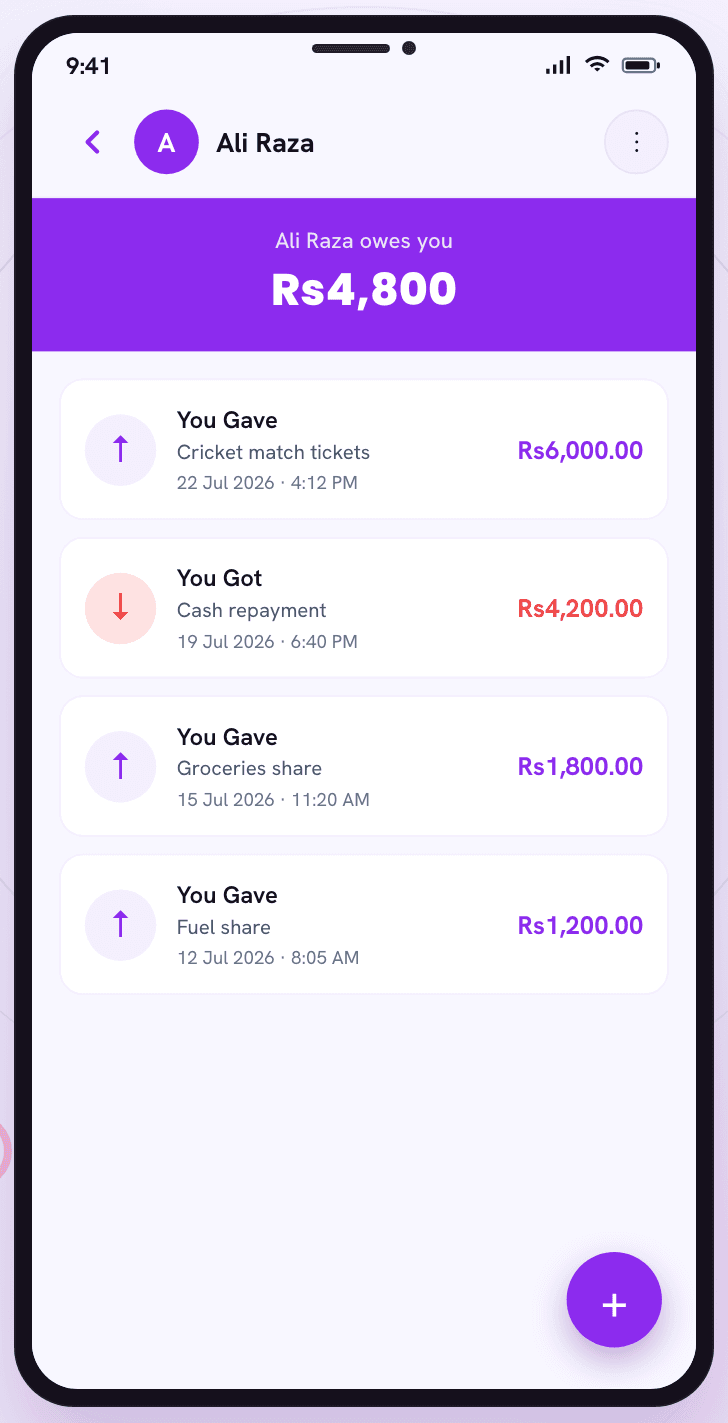
Settling upSettling up records that a payment happened and clears that amount from the balance. 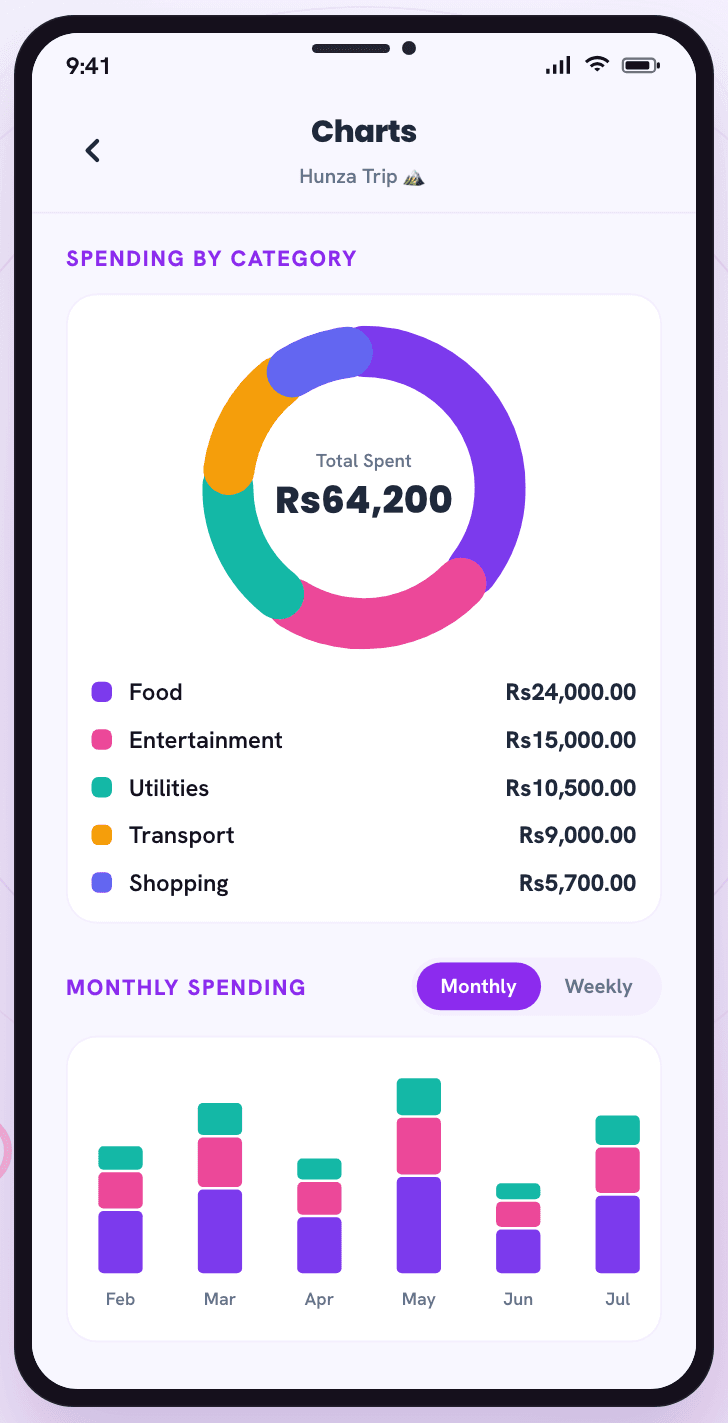
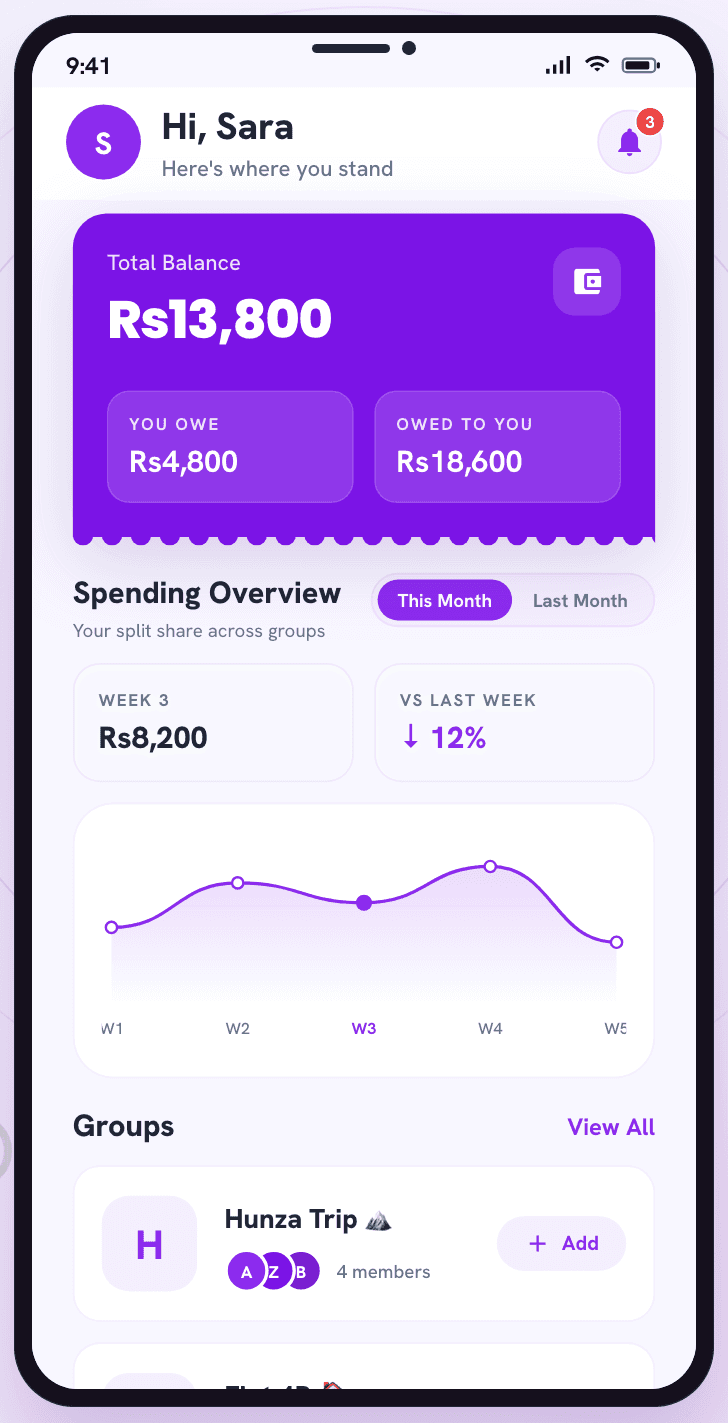
Spending breakdownCharts break spending down by category and by week or month.
The facts
| Aspect | Detail |
|---|---|
| Platforms | Android (Google Play) and any modern web browser. iOS is in development and not released. |
| Price | Free. No paid tier, no subscription. |
| Split methods | Equal, exact amounts, percentage. |
| Group types | General, Trip, Home, Couple, Other |
| Currencies | USD, GBP, EUR, INR, CAD, AUD, AED, PKR. Balances are netted per currency; Expenddy does not convert between currencies. |
| Languages | Android app: English and Arabic, including right-to-left layout. Web app: English only. |
| Receipts | Photos can be attached to expenses, personal records and ledger entries in the mobile app. |
| Export | CSV export for group ledgers, friend ledgers and personal records. |
| Money movement | None. Expenddy records payments made elsewhere; it is not a bank or a payment service. |
Common questions
What is Expenddy?
Expenddy is an expense-splitting and expense-tracking app for shared costs. Groups of people record expenses they share — rent, a restaurant bill, a trip, the weekly shop — and Expenddy calculates each person's share, keeps a running balance of who owes whom, and records payments when people settle up. It is available as a free Android app on Google Play and as a web app at expenddy.com.
How does Expenddy split expenses?
When you add an expense you enter the total, choose who paid it, and select which members share it. You then pick one of three split methods: equal, exact amounts, or percentage. Expenddy turns that into a share for each person, subtracts what they already paid, and updates the balances immediately. Nobody has to do the arithmetic.
Can Expenddy track who owes whom?
Tracking who owes whom is Expenddy's main function. Every expense updates a running balance for each member, and each group shows what you owe and what you are owed, broken down per person. Balances recalculate whenever an expense is added, edited or deleted.
Does Expenddy actually move the money?
Expenddy does not move, hold or transfer money, and it is not a bank or a payment service. You pay each other however you already do — cash, bank transfer, or any payment app — and then record in Expenddy that the payment happened. Expenddy is the record of who owes what, not the mechanism for paying it.
How much does Expenddy cost?
Expenddy is free to use. There is no paid tier and no subscription. The Android app is a free download from Google Play, and the web app is free to use at expenddy.com.
Where can I download Expenddy?
The Expenddy Android app is a free download from Google Play. You can also use Expenddy in a browser at expenddy.com without installing anything — it is the same account and the same data. An iOS app is in development and has not been released yet; iPhone and iPad users can use the web app in Safari in the meantime.
Start with one shared expense
Create a group, add the thing you just paid for, and the balance is there. Nothing to set up beyond that.